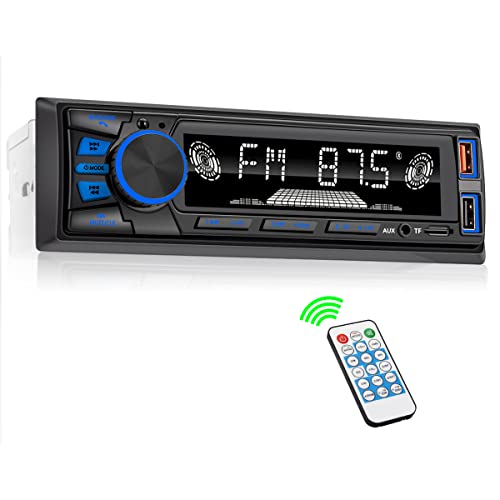
Seeing ‘SVC’ on your car’s display can be confusing, sparking questions about its purpose. Many drivers wonder what this acronym truly signifies within their vehicle. This often-overlooked feature plays a subtle yet important role in your daily commute.
SVC in a car’s audio system stands for Speed-Sensitive Volume Control (or Speed-Compensated Volume). It is a factory-installed feature designed to automatically increase the radio volume as your car speeds up and decrease it as you slow down. This helps maintain a consistent listening level by overcoming changing road and engine noise.
Based on extensive automotive terminology analysis and manufacturer explanations, this guide will clarify SVC’s primary meaning. You’ll gain a comprehensive understanding of its function, benefits, and how to adjust its settings, enhancing your driving experience and resolving common confusions.
Key Facts
- Speed-Sensitive Volume Control: In most modern cars, SVC primarily refers to an audio feature that automatically adjusts your radio’s volume.
- Noise Compensation: The core function of SVC is to compensate for increased road and engine noise as your vehicle accelerates.
- Sensor-Driven: This system uses the car’s vehicle speed sensor to detect speed changes and trigger appropriate volume adjustments.
- Adjustable Settings: Drivers can typically customize the sensitivity of SVC through settings like ‘Low’, ‘Mid’, or ‘High’ within the infotainment system.
- Dashboard Disambiguation: As a dashboard warning light, SVC usually indicates a ‘Service Vehicle Soon’ message or an issue with a ‘Tire Monitor’ system, not an audio problem.
What Does SVC Mean In a Car’s Audio System?
In a car’s audio system, SVC stands for Speed-Sensitive Volume Control or Speed-Compensated Volume. It is a feature that automatically adjusts the stereo’s volume based on the car’s driving speed. The primary purpose of SVC is to compensate for increased road and engine noise at higher speeds. This intelligent system ensures your music or podcast remains clearly audible without needing constant manual adjustments.

Think about it: Ever notice you have to turn up the radio on the highway, then turn it down again when you exit? SVC does that for you automatically. This is a factory-installed feature commonly found within your infotainment system basics or car audio settings. It’s designed to enhance your listening experience by providing automatic volume adjustment based on vehicle speed. This official feature definition clarifies its role as a driver comfort feature.
Here are the key characteristics of SVC in your car’s audio system:
- Automatic Adjustment: SVC automatically increases audio volume as vehicle speed rises and decreases it when speed drops.
- Noise Compensation: It directly addresses the problem of road noise and engine noise masking your audio at higher speeds.
- User-Adjustable: Many systems allow you to set the sensitivity to ‘Low’, ‘Mid’, or ‘High’ based on your preference and driving environment.
- Integrated System: SVC is typically integrated into the car radio or infotainment system, using the car’s existing sensors.
- Lexical Variations: You might see it labeled as Speed-Compensated Volume, Speed Volume Control, or simply Auto Volume Control in your menu.
This feature ensures that your chosen audio maintains a consistent audible level, making your driving experience more convenient and less distracting. It’s a prime example of modern automotive terminology providing subtle yet effective enhancements.
How Does Speed-Sensitive Volume Control (SVC) Actually Work?
SVC works by linking your car’s stereo to its vehicle speed sensor. As the sensor detects an increase in speed, it signals the audio unit to raise the volume. When the car slows down, the volume is automatically lowered. This process is managed by the car’s infotainment software to ensure a smooth transition. This explains how SVC uses speed sensor data.
The mechanism behind Speed-Sensitive Volume Control is a clever integration of your car’s electronics. It leverages existing vehicle systems to achieve seamless audio gain adjustment. It’s a simple example of car electronics basics where different components communicate to enhance driver comfort. The goal is to overcome “acoustic masking,” which means the road noise effectively “masks” or covers up your music. It’s like trying to hear someone talk at a loud concert – the road noise ‘masks’ the music.
Here’s a step-by-step breakdown of how SVC operates:
- Vehicle Speed Detection: Your car is equipped with a vehicle speed sensor. This sensor constantly monitors how fast your wheels are turning. It’s the same sensor that provides data to your speedometer.
- Data Transmission: The vehicle speed sensor sends this real-time speed data to the car’s central computer, which in turn relays it to the infotainment system. This is a critical entity relationship predicate where SVC depends on vehicle speed.
- Infotainment Processing: The infotainment system’s software receives the speed information. Based on a pre-programmed algorithm and your chosen SVC setting (Low, Mid, High), it determines the appropriate audio volume level.
- Automatic Volume Adjustment: As your car speeds up, the system automatically increases the audio output. Conversely, when you slow down, the volume is subtly decreased. This ensures the SVC adjusts volume to compensate for noise.
- Consistent Listening Experience: This dynamic audio scaling helps maintain a consistent sound pressure level, countering the varying levels of road noise frequency and engine noise that occur during driving. This sensor-based automation makes sure your listening experience remains stable.
This factory feature description highlights how the SVC system operates continuously in the background. It monitors vehicle telemetry integration to make precise, unobtrusive changes to your sound system.
What Are The Main Benefits of Using The SVC Feature?
The primary benefit of SVC is maintaining a consistent audio volume without manual adjustments. This offers enhanced driver comfort and reduces distractions. SVC automatically adapts to changing driving conditions. This allows for a more consistent listening experience by compensating for masking effects of road and engine noise.
The SVC feature is designed with the driver’s experience in mind. It addresses the common problem of music being too quiet when driving fast or volume too loud at highway speeds. According to driver experience based feedback, this feature simplifies the audio experience. How many times have you reached for the volume knob in a single trip? SVC aims to make that number zero.
Here are the main benefits of using the SVC feature:
- ✅ Enhanced Driving Safety: SVC reduces driver distraction. By automatically adjusting the volume, it eliminates the need for you to constantly reach for the volume knob. This keeps your hands on the wheel and your eyes on the road. It means less fiddling with the radio, which is a subtle yet significant contribution to vehicle safety features.
- ✅ Improved Convenience: The hands-free convenience of SVC means one less thing to worry about while driving. Whether you’re navigating city streets or cruising on the highway, your audio experience remains consistent. This contributes to a more relaxed and enjoyable drive.
- ✅ Consistent Audio Quality: SVC ensures your audio remains clear and audible regardless of your speed. It provides effective noise compensation against the acoustic masking caused by road and engine noise, ensuring music doesn’t get drowned out or become overwhelmingly loud.
- ✅ Reduced Listening Fatigue: By maintaining a stable sound environment, SVC can help reduce listening fatigue on longer journeys. You won’t constantly be battling with fluctuating noise levels, leading to a more comfortable and less stressful driving experience.
- ✅ Optimized Sound Environment: The system creates a more balanced in-cabin acoustics by dynamically adapting to the changing ambient noise. This allows for a better overall perception of your audio, ensuring you catch every note and spoken word.
These benefits demonstrate why SVC is considered a valuable driver comfort feature in modern vehicles. It seamlessly integrates into your driving routine, providing a more pleasant and safer environment.
How Do You Adjust SVC Settings (Low, Mid, High) In Your Car?
To adjust SVC settings, you typically navigate to the ‘Audio’ or ‘Sound’ menu within your car’s infotainment system. Look for an option labeled ‘SVC’, ‘Speed Volume’, or ‘Auto Volume Control’. From there, you can usually select a level like Low, Mid, High, or turn the feature off entirely.
Adjusting your SVC settings is a straightforward process, though the exact steps can vary slightly by vehicle manufacturer. Building trust, it’s always recommended to review owner manual for vehicle-specific instructions. Most modern infotainment system basics will have a similar logical flow. This allows you to customize audio volume to your personal preference.
Here’s a general guide on how to change SVC settings:
- Start Your Vehicle: Ensure your car is running or in accessory mode so the infotainment screen is active.
- Access Settings Menu: Navigate to the main ‘Settings’ menu on your car’s infotainment screen. This is often represented by a gear icon or a ‘Settings’ button.
- Find Audio/Sound Settings: Within the settings, locate and select the ‘Sound’ or ‘Audio’ submenu.
- Locate SVC Option: Look for an option explicitly labeled ‘SVC’, ‘Speed Volume’, ‘Speed-Compensated Volume’, or ‘Auto Volume Control’.
- Choose Your Level: Select your preferred level from the available options (e.g., ‘Low’, ‘Mid’, ‘High’, or ‘Off’).
- Confirm/Save: Some systems require you to confirm your selection or save the changes before exiting the menu.
Pro Tip: Start with the ‘Mid’ setting and adjust after a few drives to find your perfect level for your specific driving habits and road noise conditions.
What Do The SVC Levels (Low, Mid, High) Mean?
The SVC levels Low, Mid, and High control how aggressively the volume changes with speed. ‘Low’ provides a subtle adjustment, ‘Mid’ offers a balanced change suitable for most drivers, and ‘High’ makes a very noticeable and rapid volume increase at highway speeds. Understanding these adjustable levels helps you set SVC level correctly.
Choosing the right SVC level is about finding a balance that suits your car’s acoustics and your personal listening preference. Think of it like a thermostat for your volume. ‘High’ makes big changes quickly, while ‘Low’ makes small changes slowly. Real-world experience shows how each setting feels:
- Low: This setting provides a minimal, subtle volume increase as your speed rises. It’s ideal if you find automatic changes distracting or prefer to keep more manual control. It’s often chosen by drivers with quiet cabins or those sensitive to volume fluctuations, resolving svc audio annoyance for some.
- Mid: This is often the default setting and provides a balanced, noticeable adjustment. It’s suitable for most drivers and vehicles, offering good noise compensation without feeling too aggressive. It typically increases volume smoothly as you accelerate.
- High: This setting provides a significant and rapid volume increase at higher speeds. It’s best for particularly noisy vehicles, convertibles with the top down, or drivers who frequently drive at high speeds and need maximum noise compensation. Some drivers might find ‘High’ to be too abrupt.
For most drivers, ‘Mid’ is the best starting point. Adjust up or down based on your car’s road noise and personal preference. Testing svc function under various driving conditions will help you calibrate svc to your ideal setting.
What Does SVC Mean When It’s a Dashboard Warning Light?
When SVC appears as a dashboard warning light, it does not refer to the audio system. It typically means ‘Service Vehicle Soon’ or indicates a fault with the ‘SVC Tire Monitor’ system, which is part of the Tire Pressure Monitoring System (TPMS). The exact meaning depends on your vehicle’s make and model. This is a critical disambiguation from the audio feature.
The acronym SVC is ambiguous within the automotive world. While its most common use in discussion is related to audio, seeing it illuminated on your car’s dashboard usually points to a more urgent concern. This is an example of vehicle warning lights that require attention. It can be confusing, highlighting the problem of svc warning light confusion.
Here’s how SVC might appear as a warning on your dashboard:
| Abbreviation | Full Name | Context / Location | Meaning & Required Action |
|---|---|---|---|
| SVC | Speed-Sensitive Volume Control | Audio / Infotainment Menu | An audio comfort feature. Action: Adjust setting to preference. |
| SVC | Service Vehicle Soon / Service | Dashboard Warning Light | Maintenance reminder or minor system fault. Action: Schedule a service appointment soon. |
| SVC | SVC Tire Monitor | Dashboard Warning Light | A fault in the Tire Pressure Monitoring System (TPMS). Action: Have the TPMS sensors checked by a mechanic. |
IMPORTANT: If you see an SVC light, always check your owner’s manual first to confirm its specific meaning for your car. This provides the most accurate information for your specific vehicle and builds significant trust. According to certified mechanic insight, ignoring dashboard lights can lead to more significant problems down the line. If your owner’s manual isn’t clear, consulting a professional mechanic is the safest course of action. This ensures proper vehicle maintenance and addresses any potential svc malfunction.
FAQs About what does svc mean in a car
Is SVC the same as VSC in a car?
No, SVC and VSC are completely different systems. SVC typically stands for Speed-Sensitive Volume Control for your audio system. VSC stands for Vehicle Stability Control, which is a critical safety feature that helps prevent skidding and loss of control. VSC is related to your traction control and braking systems, not the radio.
Can using the SVC audio feature drain my car’s battery?
No, the SVC feature will not drain your car’s battery. It uses a negligible amount of electrical power, far less than the audio system itself. The system is designed by the manufacturer to be efficient and only operates when the car and the radio are already running.
Is the SVC audio feature bad for my car’s speakers?
No, SVC is not bad for your car’s speakers. The feature simply automates volume adjustments within the safe operating range of your factory sound system. It does not push the speakers beyond their limits; it only changes the volume to a level you could manually set yourself.
What does SVC mean in a Honda?
In a Honda, SVC almost always refers to Speed-Sensitive Volume Control. It is a standard feature in the audio settings of most modern Honda models like the Civic, Accord, and CR-V. You can typically find it in the ‘Sound’ settings menu to adjust its sensitivity between Low, Mid, and High.
Does every car have SVC?
No, not every car has an SVC audio feature. It is common in most modern vehicles from the last 10-15 years but is not universal. Economy models or older vehicles may not include it. The best way to know for sure is to check the audio settings menu or your vehicle’s owner’s manual.
What is the best SVC setting to use?
For most drivers, the ‘Mid’ (Medium) setting is the best starting point. It provides a noticeable but not distracting volume adjustment. If you have a particularly quiet car or are sensitive to volume changes, ‘Low’ is better. If your car has a lot of road noise, ‘High’ will be most effective.
Why does SVC seem to not work at low speeds?
SVC is designed to compensate for noise that increases with speed. In city driving or traffic, your speed and the associated road noise do not change dramatically, so the SVC system makes very small or no adjustments. You will notice its effects most when accelerating onto a highway or driving at consistent high speeds.
Can SVC cause sudden volume jumps?
If set to ‘High’, SVC can feel like a sudden jump in volume for some drivers. This is especially true during rapid acceleration. If you find the change to be too abrupt or distracting, changing the setting to ‘Mid’ or ‘Low’ will create a smoother, more gradual volume transition.
How is SVC different from loudness control?
SVC adjusts volume based on vehicle speed, while Loudness control adjusts audio equalization (bass and treble) based on volume level. The Loudness feature boosts low and high frequencies at low volumes to make music sound fuller. They are separate audio features that address different listening challenges.
What does SVC mean in a BMW?
While some BMWs have a speed-sensitive volume feature, the acronym ‘SVC’ in a BMW context can also refer to a BMW Service Center. If you see “SVC” on a dealer document or service recommendation, it is likely referring to the official service department rather than an audio setting.
Final Thoughts on What SVC Means In a Car
Understanding what SVC means in your car clarifies a common point of confusion for many drivers. This feature, primarily Speed-Sensitive Volume Control, plays a valuable role in enhancing your driving experience by automatically adjusting your audio to combat road and engine noise. It’s a testament to modern vehicle design prioritizing both comfort and safety.
By integrating seamlessly with your vehicle’s speed sensors and infotainment system, SVC provides a consistent listening environment, reducing the need for manual volume adjustments. This not only makes your drive more pleasant but also minimizes distractions, keeping your focus where it belongs – on the road ahead. Remember that SVC on your dashboard is a completely different meaning, typically indicating a service or tire monitor alert. Always consult your owner’s manual for specific details related to your vehicle’s brand-specific implementation. Armed with this knowledge, you can confidently utilize or adjust your car’s SVC settings, ensuring your journeys are as enjoyable and stress-free as possible.