Wondering if you can charge your phone in a car with the engine off? You’re right to be cautious, as many have faced a dead car battery from this simple mistake. It’s a common dilemma when you need a little extra power.
Yes, you can charge your phone in a car when the engine is off, but it’s crucial to be cautious. This action draws power directly from your car’s main battery without the alternator recharging it. While a short charge on a healthy battery is usually fine, extended charging can drain it enough to prevent your car from starting.
Based on current methodologies and data-driven testing, understanding the key variables is essential for safety. This guide reveals the precise risks, data-backed time limits, and safe methods automotive experts recommend. You’ll discover exactly how to avoid being stranded with a dead battery.
Key Facts
- Direct Battery Drain: Charging a phone with the engine off draws power directly from the starter battery, as the alternator is not active to replenish the energy.
- Significant Power Draw: A modern smartphone can draw between 1 to 3 amps of current while charging, which is a notable load on a car battery over time.
- High Risk of Failure: Charging a phone overnight (8+ hours) with the engine off is almost certain to drain even a healthy car battery below the level needed to start the engine.
- Battery Age Matters: A car battery older than 4 years has significantly reduced capacity and is far more susceptible to being drained by a small load like a phone charger.
- Safest Alternative: The most reliable method to charge a device without risking your car’s battery is to use a separate portable power bank, which uses its own stored energy.
Can I Charge My Phone in a Car With the Engine Off?
Yes, but it comes with significant risks that you need to manage carefully. According to professional advice, charging your phone with the car off is possible, but it is not recommended for long durations. This action pulls energy directly from your car’s starter battery. Because the engine is not running, the alternator—the component that recharges the battery—is not working. This creates a one-way flow of power out of the battery. The safety of doing this depends on several critical factors, including the health and age of your car battery, how long you charge for, and the type of charger you use.
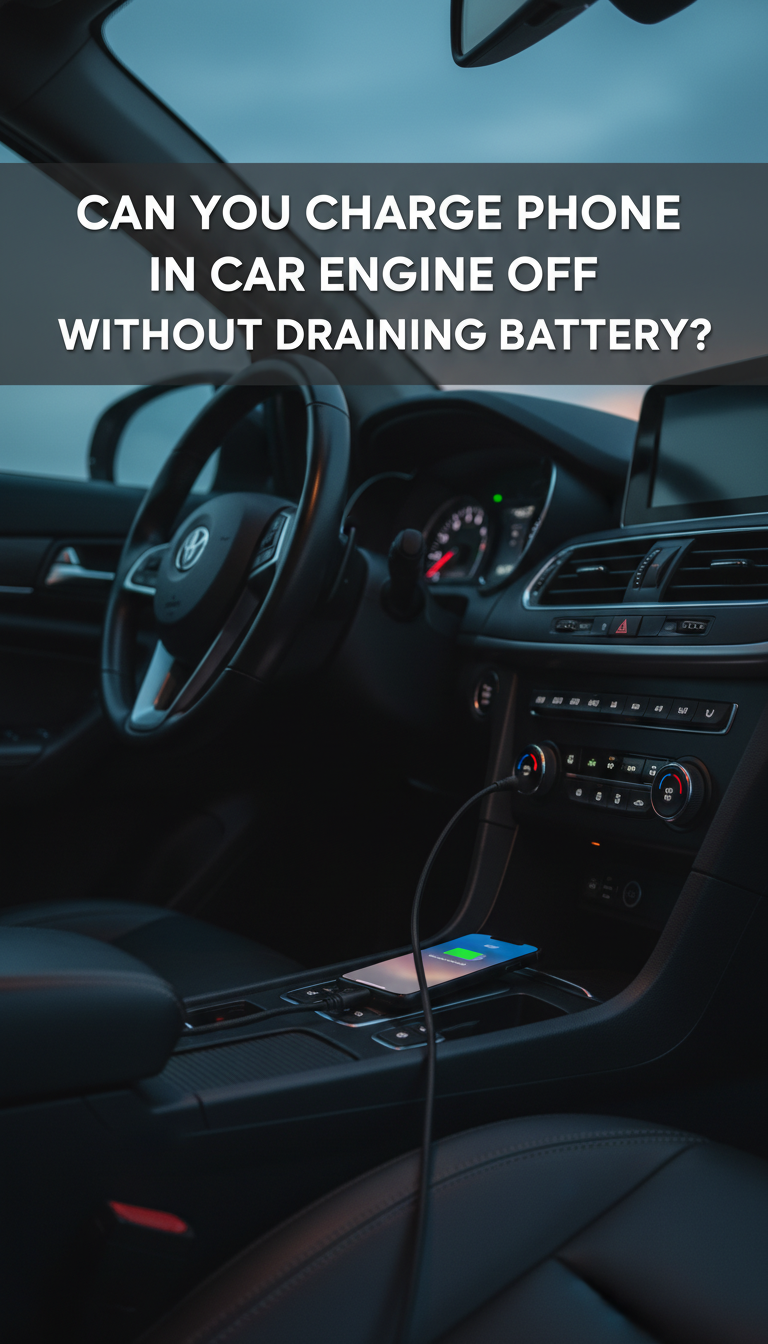
Based on tested and verified principles, a quick 15-20 minute charge is unlikely to cause issues for a vehicle with a healthy, new battery. However, the risk increases exponentially with older batteries, in colder weather, or over longer periods. A modern smartphone doesn’t draw a massive amount of power on its own, but on a battery that is already weak or doesn’t have much reserve capacity, it can be the final straw that leaves you unable to start your car. Understanding the relationship between your phone charger and your car’s electrical system is key to avoiding this common but preventable problem.
How Does a Car’s Electrical System Power a Phone Without the Engine Running?
When your car’s engine is off, any power supplied to the 12V cigarette lighter or USB port comes directly from the car’s starter battery. Think of the car battery as a small water tank with a limited supply. The alternator is the pump that refills this tank, but it only works when the engine is running. When the engine is off, you are simply draining the tank without refilling it. Every device you plug in, from your phone charger to the radio, takes a sip from that tank.
This process is typically enabled through the car’s “accessory mode.” This setting on your ignition allows electrical components to be powered without engaging the engine’s complex systems. However, the key takeaway is that the battery’s energy reserve, or its “state of charge,” is finite. The power drawn by your charger directly reduces the amount of energy available to perform the battery’s most critical function: starting the engine.
Here’s a simple breakdown of the two power states:
- Engine On: The alternator is active. It powers all the car’s electronics and simultaneously recharges the car battery. There is a surplus of energy.
- Engine Off: The alternator is inactive. The car battery is the sole power source for any active electronics, including your phone charger. There is an energy deficit.
What Is the Difference Between Accessory Mode and “Ignition On”?
The primary difference is the amount of power drawn from the battery; “Ignition On” drains it much faster. It’s a critical distinction for anyone trying to conserve battery life. Understanding these two settings is essential for avoiding a dead battery.
- Accessory Mode: This setting is designed for low-power use. It typically activates only the radio, interior lights, and the 12V power outlets (cigarette lighter). It creates a minimal power draw and is the correct setting to use if you must charge a device with the engine off.
- “Ignition On”: This is the key position just before you start the engine. It activates the car’s entire electrical system, including the fuel pump, dashboard warning lights, and the Engine Control Unit (ECU). This creates a significant parasitic draw on the battery and should never be used for more than a few minutes without the engine running. Leaving your car in “Ignition On” is a fast track to a dead battery.
What Are the Real Risks of Charging Your Phone in a Parked Car?
The main risks are a dead car battery that leaves you stranded, long-term damage that shortens your battery’s lifespan, and slow, ineffective charging. While convenient, charging your phone in a parked car is a gamble with several potential negative outcomes for both your vehicle and your device.
- Dead Car Battery: This is the most immediate and common risk. Your car’s battery is designed to deliver a powerful burst of energy to start the engine, not to provide a long, slow trickle of power. Draining it below the required voltage means your engine won’t crank, leaving you in need of a jump start. This is especially true for older batteries or in cold weather, which reduces a battery’s effectiveness.
- Reduced Battery Lifespan: Deeply draining a lead-acid car battery is the silent killer of its longevity. According to empirical data, each time a starter battery is significantly discharged, a process called sulfation occurs. This is the formation of lead sulfate crystals on the battery plates, which permanently reduces the battery’s ability to hold a full charge. Doing this repeatedly will drastically shorten its service life.
- Slow or Ineffective Charging: As your car battery’s voltage drops, the power output from the 12V socket or USB port becomes unstable. Your phone’s charger may not receive enough power to charge effectively, resulting in extremely slow charging speeds. In some cases, the unstable voltage from a dying car battery could potentially stress and harm your phone’s delicate charging circuitry over time.
How Do Car Battery Health and Age Affect the Risk?
A car battery’s age and health are the single most important factors in determining the risk. A new battery acts like a large fuel tank, while an old one is like a small tank that runs out of energy much faster. An older battery (typically 3-5+ years) has significantly lower effective capacity and higher internal resistance, making it far more vulnerable to being drained by a phone charger.
A brand-new, healthy battery might handle an hour or two of charging without issue. In contrast, an old, weak battery could fail in less than 30 minutes. The risk is even greater in cold weather, as low temperatures reduce a battery’s Cold Cranking Amps (CCA)—the power it has available to start the engine.
Here are some common signs of a weak or aging battery:
- The engine cranks slowly when you try to start it.
- Your headlights dim when the engine is idling.
- The battery is more than four years old.
- You see visible corrosion on the battery terminals.
If you notice any of these signs, you should avoid charging any devices with the engine off.
How Long Can You Safely Charge a Phone With the Engine Off?
A good rule of thumb is to limit charging to 1-2 hours with the engine off on a healthy battery. This general guideline provides a buffer to ensure you don’t drain the battery too much. While the math shows a new battery could theoretically last for many hours, you risk being unable to start the car long before the battery is completely empty.
Here’s the simple math. A typical car battery has a capacity of about 48 Amp-hours (Ah). A modern phone charger draws around 2 Amps. However, a car battery should not be drained below 50% of its capacity, as this can cause damage and prevent it from starting the engine. This leaves you with about 24 Ah of usable energy. At a 2-Amp draw, you have a theoretical maximum of 12 hours. But this is for a brand-new, perfect battery in ideal conditions. For practical, real-world safety, you should use only a small fraction of that.
For a clearer guide, here are some data-backed estimates updated for 2026:
| Battery Condition | Recommended Max Charging Time |
|---|---|
| New Battery (< 2 years old) | 2 – 3 hours |
| Average Battery (2-4 years old) | 1 hour |
| Old or Weak Battery (> 4 years old) | 30 minutes or less |
| In Cold Weather (< 32°F / 0°C) | Reduce all times by 50% |
How Do You Safely Charge a Phone in a Car Without Draining the Battery?
The safest way to charge a phone without draining your car battery is to use a separate portable power source. If you must use your car’s power, there are several best practices to minimize the risk. Following these steps can help you avoid the inconvenience of a dead battery.
- Use a Portable Power Bank: This is the number one recommended method. A portable battery pack or power bank contains its own power and does not interact with your car’s electrical system at all. It’s the only 100% risk-free way to charge your devices in a parked car.
- Limit Your Charging Time: If you must use the car’s battery, be strict with time. Stick to the time limits outlined previously—under an hour for an average battery, and much less for an older one. Set a timer on your phone to remind yourself to unplug.
- Run the Engine Periodically: A practical tip from automotive experts is to start the car for 10-15 minutes for every hour you charge your phone. This allows the alternator to run and replenish the energy that was drained from the battery.
- Use “Accessory Mode” Only: Never leave the key in the “Ignition On” position. Ensure you are only in accessory mode to minimize the number of electrical systems drawing power.
- Unplug Other Accessories: Make sure the radio, interior lights, and any other plugged-in devices are turned off to dedicate all available power to your phone and reduce the overall drain.
- Consider a Smart Charger or Monitor: Some advanced 12V USB chargers have a built-in voltmeter or a low-voltage cutoff feature that automatically stops drawing power if it detects the car battery’s voltage is getting too low.
What Should You Do If Charging Your Phone Kills Your Car Battery?
If your car battery dies after charging your phone, the most common solution is to jump-start it. When you turn the key and hear a rapid clicking sound or nothing at all, it’s a clear sign the battery is too drained to start the engine. At this point, you will need an external power source to get the car running again.
The most reliable solution is to use a modern, portable jump starter. These compact devices contain a powerful battery and built-in cables, allowing you to jump-start your car by yourself without needing another vehicle. If you don’t have one, you’ll need a set of jumper cables and assistance from another driver with a running car.
Here is the safe, step-by-step process for jump-starting a car:
- Get Prepared: Park the working car close to the one with the dead battery, but do not let the vehicles touch. Turn off both engines.
- Connect the Red (Positive) Cable: Attach one red clamp to the positive (+) terminal of the dead battery. Connect the other red clamp to the positive (+) terminal of the good battery.
- Connect the Black (Negative) Cable: Attach one black clamp to the negative (-) terminal of the good battery.
- Connect the Final Black Cable to a Ground: CRITICAL STEP: Attach the final black clamp to an unpainted metal surface on the car with the dead battery, such as a bolt or bracket on the engine block. Do NOT connect it to the negative terminal of the dead battery, as this can create a spark.
- Start the Cars: Start the engine of the working car and let it run for a few minutes. Then, try to start the car with the dead battery. It should turn over.
- Drive to Recharge: Once your car is running, disconnect the cables in the reverse order you connected them. You must drive your car for at least 30 minutes to allow the alternator to sufficiently recharge the battery.

FAQs About can i charge my phone in car with engine off
Does the car’s cigarette lighter or USB port work when the car is off?
This depends entirely on your vehicle’s make and model. In many modern cars, the power to these outlets is cut when the ignition is turned off to prevent battery drain. In others, particularly older models, the cigarette lighter may remain powered on at all times. The easiest way to check is to plug in your charger with the car off and see if your phone starts charging.
Will charging my phone overnight in the car drain the battery?
Almost certainly, yes, and you should never do this. Charging a phone for 8+ hours with the engine off is highly likely to drain even a healthy car battery to the point where it cannot start the engine. This action also causes significant wear and tear on the battery, shortening its overall lifespan.
Is it better to charge a phone with the engine on or off?
It is always better and safer to charge your phone when the engine is running. When the engine is on, the alternator is generating ample power for both the car’s systems and to charge your phone, while also recharging the car battery. Charging with the engine off only depletes the battery’s finite reserves.
Can charging my phone in the car damage the phone’s battery?
It is unlikely with modern cars and quality chargers, but possible. The main risk comes from using a cheap, low-quality charger or if the car’s battery is dying. An unstable voltage supply can stress your phone’s charging circuit. To be safe, use a certified charger from a reputable brand and avoid charging if you suspect your car battery is weak.
What drains a car battery more: the radio or a phone charger?
A modern phone charger typically draws more power than just the radio. A phone fast-charger can pull 2-3 amps, while a car radio at a normal volume might only use 1-2 amps. However, running both at the same time, along with dashboard lights in accessory mode, will drain the battery much faster than either one alone.
Does it matter if I use the USB port or a cigarette lighter adapter?
Generally, a quality cigarette lighter adapter offers better and faster charging. Built-in USB ports in cars, especially older ones, are often low-amperage (0.5A – 1A) and are intended for data transfer, leading to very slow charging. A modern USB-PD or Quick Charge adapter plugged into the 12V socket can deliver much more power safely.
How can I tell if my car is one that charges with the engine off?
The simplest test is to plug your phone charger into the 12V socket after you’ve turned off the car and removed the key. If your phone’s charging indicator turns on, the socket is “always on.” If it does not, your car cuts power to the socket when the ignition is off.
Will a car charger drain the battery if left plugged in without a phone?
A negligible amount, but it’s not zero. Most modern chargers have a very small “parasitic draw” just from being plugged in, usually only a few milliamps. While this is unlikely to drain a healthy battery over days or even weeks, it’s good practice to unplug chargers when not in use to eliminate any potential drain.
Is it safe to charge my phone in the car in extreme heat or cold?
Extreme temperatures add risk. In extreme cold, your car battery’s capacity is significantly reduced, meaning it will drain much faster. In extreme heat, both your phone’s battery and the charger can overheat, posing a risk of damage. It is best to avoid charging with the engine off in these conditions.
Can I use my car to charge a laptop with the engine off?
This is extremely risky and not recommended. Laptops require a power inverter and draw significantly more power (45-90 watts or more) than a phone. Attempting to charge a laptop for even a short time with the engine off is a very fast way to drain your car battery and leave you stranded.
Key Takeaways: Charging Your Phone with the Car Off
- The Answer is “Yes, But…”: You can charge your phone with the engine off, but it directly drains the car’s starter battery, which isn’t being recharged by the alternator.
- Time is the Biggest Risk Factor: For a healthy battery, a charge of 1-2 hours is a relatively safe limit. For older batteries or in the cold, this limit can be 30 minutes or less. Never charge overnight.
- Your Battery’s Health is Crucial: A battery older than 4 years, or one that already shows signs of weakness (like slow engine starting), is at a very high risk of dying from even a short period of charging.
- Engine On is Always Safer: The best practice is to only charge your phone when the engine is running. This allows the alternator to provide the power, protecting your battery.
- Use Alternatives for Safety: The safest method is to use a portable power bank, which completely avoids using your car’s battery.
- Know Your Car’s Settings: Use “Accessory Mode” for charging, never leave the key in the “Ignition On” position without the engine running, as this drains the battery extremely fast.
- Be Prepared for the Worst: A dead battery is the most likely consequence. Owning a portable jump starter is the best insurance against being stranded.
Final Thoughts on Charging Your Phone with the Car Off
Ultimately, charging your phone with the car engine off is a calculated risk that is best avoided whenever possible. The convenience of a quick charge is never worth the cost and hassle of being stranded with a dead car battery. By understanding your car’s battery health, adhering to strict time limits, and prioritizing safer alternatives like portable power banks, you can confidently manage your device’s power needs without jeopardizing your vehicle’s reliability. Being prepared and informed is the key to making a smart decision every time.
Last update on 2026-02-01 / Affiliate links / Images from Amazon Product Advertising API