
Are you tired of plugging in your phone only to find your car’s USB port is unresponsive? A non-functional USB port in your vehicle can quickly derail your navigation and charging plans, leaving you frustrated. Many struggle to determine if the fault is a simple cord problem or a complex electrical issue within the car itself. Understanding where to start is key to a fast and cost-effective how to fix usb port in car solution.
The essential tools required to diagnose a car USB port issue are a digital multimeter (DMM) to test voltage, a set of trim removal tools to access internal components, and safety gear like rubber gloves. If simple external checks fail, the issue likely resides with the port itself, its fuse, or the underlying wiring.
From years of hands-on experience in automotive electronics, we know that successful repair starts with systematic diagnostics. This guide provides a professional, step-by-step methodology to troubleshoot, repair, and replace your vehicle usb port not working, empowering you to restore full functionality by March 2026.
Key Facts
- Fuse Protection: The fuse protects usb port from electrical surges, and a blown fuse is the single most common reason for a sudden usb port not working with no power.
- Data vs. Charging: Many older old car usb port installations are designed primarily for data transfer (around 0.5A) and cannot support the fast charging car usb port standards of modern mobile devices.
- External Factors Rule: In approximately 60% of cases, the fault lies with a low-quality or faulty usb car port cable or the mobile device itself, not the car’s electrical system, based on industry troubleshooting analysis.
- Safety Protocol: Before inspecting the fuse box car or wiring, electrical safety precautions mandate disconnecting the car battery’s negative terminal to prevent short circuits and the risk of electrical shocks.
- Physical Wear: Intermittent connectivity often signals a loose usb port car due to physical wear, which requires securing the port housing using shims or tape to restore a snug connection.
What Are The Initial Steps To Diagnose Your Car USB Port Issue?
Start by checking external components: switch cables, try a different device, and power cycle the vehicle to rule out software glitches. If these simple checks fail, the issue likely resides with the port itself, its fuse, or the underlying wiring.
Diagnosing a non-functional car usb port repair begins outside the vehicle’s electrical system. This fundamental, often-skipped process is crucial for ruling out external variables before delving into complex automotive electrical systems. We use a systematic diagnose car usb port issue approach, starting with the simplest and most common failure points.
The very first action is performing a power cycle of the vehicle, which can resolve temporary software conflicts within the car infotainment system. Simply turn the ignition completely off for at least 60 seconds before restarting the car. This action resets basic data transfer protocols and sometimes clears minor system glitches. If this easy step does not restore functionality, you must move on to validating the two external components that facilitate the usb port facilitates connection: the cable and the device. This initial troubleshooting checklist eliminates external variables comprehensively before you assume a core component failure.

If you skip these preliminary checks, you risk spending unnecessary time and money checking fuses or buying replacement parts when a $10 cable was the actual culprit. It is critical to confirm the device you are trying to charge or connect to is also working correctly, often by verifying it works with a wall outlet charger. The ability of the usb port requires power is conditional on the quality of the supporting hardware.
How Do You Perform Basic Checks On Cables And Devices?
To verify the cable, inspect it for physical damage, ensure it supports both charging and data transfer if required, and test it with a known working power source outside the car. Isolating the cable and device is paramount to accurately determining if you need to repair car usb charger or simply replace an accessory.
Always begin with the cable, as faulty cable damage car usb port is a risk, and poor signal integrity from a cheap cable often mimics a port failure. Cables designed only for charging lack the internal data lines needed for apple carplay or android auto, confusing the car stereo head unit.
Here is a checklist for verifying cables and devices:
- Cable Integrity Check:
- Inspect the cable ends for visible kinks, frays, or corrosion on the metallic connectors.
- Test the cable with a known functional wall charger to confirm it successfully provides power and charging.
- If using the port for data (carplay + usb), swap the cable for one known to be compatible (e.g., OEM-certified) to rule out compatibility issues.
- Device Functionality Check:
- Attempt to charge or connect a second, known working mobile phone charging device to the port to see if the issue is limited to the first device.
- Ensure the device is not set to a specific mode (like “charge only”) that prevents data transfer car protocols from initiating.
- Perform a quick restart (power off/on) of your mobile phone, as device software can sometimes block or interfere with the USB connection handshake.
Practical experience shows that using non-OEM cables can lead to signal integrity concerns. Always test cables with a wall charger first to verify their basic function before assuming the car’s usb port output is the problem.
What Tools Do You Need To Test Car USB Port Power And Functionality?
The primary tool required for advanced car USB port diagnostics is a digital multimeter (DMM), which verifies voltage output and checks for continuity or short circuits within the wiring harness. Understanding how to use a multimeter automotive is crucial for safely performing an electrical test on the port itself.
If the external checks proved inconclusive, the fault likely lies within the power circuit or the wiring harness car. Moving to this intermediate level of repair requires specialized tools and electrical safety precautions. The DMM is essential because the usb port supplies power to devices at a precise 5V DC. Measuring the voltage is the only way to definitively prove if no power usb car is the issue.
The essential equipment for safe and effective diagnostics includes:
- Digital Multimeter (DMM): Needed to test voltage drop measurement and continuity. Set the DMM to measure low-range DC Voltage (VDC).
- Trim Removal Tools: Plastic or nylon tools essential for safely removing the dashboard or console panels without scratching the interior or breaking console usb port clips.
- Insulated Tools: Screwdrivers, pliers, and wire strippers that prevent accidental grounding during fix wiring issues or component removal.
- Automotive Fuse Puller: Necessary to safely remove and inspect the small fuses within the fuse box car.
The DMM allows you to confirm if power is reaching the usb port female connector. An experienced mechanic advice will always recommend checking the voltage, which should read between 4.8V and 5.2V DC. Readings outside this range, or a reading of 0V, indicate a definitive power problem, likely a blown fuse usb car or a wiring fault usb.
| Comparison Aspect | Essential Tools | Advanced Tools |
|---|---|---|
| Tool | Digital Multimeter (DMM) | OBD2 Scanner |
| Purpose | Verify voltage/amperage, check continuity | Read diagnostic trouble codes, clear system faults |
| Test Performed | Test car usb port power output | Analyze can-bus communication errors |
| User Skill Level | Intermediate | Advanced/Professional |
What Are The Essential Safety Precautions Before Starting Electrical Work?
Before performing any electrical work on a car’s USB port, always disconnect the negative terminal of the car battery first to prevent short circuits and the risk of electrical shock. Adhering to these electrical safety precautions is not just about avoiding personal injury; it is about protecting the delicate car electrical system from costly damage.
Automotive electrical repair, even a simple check car usb fuse, carries risks, especially with modern vehicle power management systems. Following industry best practices ensures both your safety and the longevity of the car’s components.
Mandatory safety steps:
- Disconnect the Negative Battery Terminal: Always use an insulated wrench to loosen and remove the negative terminal (usually marked with a “–” or black cable). This action immediately isolates the car battery from the vehicle’s chassis and prevents accidental grounding or short circuits while you handle wiring.
- Verify Power Is Absent: After disconnecting the battery, use your DMM set to VDC to check the circuit you intend to work on. This step is critical to ensure no residual power or backup system is active.
- Use Insulated and Non-Metallic Tools: Utilize plastic trim removal tools and insulated metal instruments when working near live circuits or the wiring harness car. This prevents accidental contact with power sources.
As a specific warning about modern cars: disconnecting the battery can sometimes trigger memory loss for the radio presets or onboard computer settings. If possible, use a memory saver tool that plugs into the 12V power outlet to maintain these settings, mitigating this inconvenience.
How Do You Fix Common USB Port Issues With Simple DIY Methods?
To resolve intermittent connectivity, first try cleaning the USB port contacts using compressed air to remove debris or a small amount of isopropyl alcohol on a cotton swab to remove corrosion. Many issues related to a dirty usb car port or a simple physical misalignment can be resolved without complex electrical testing.
The fix car usb outlet process starts with low-effort solutions that address the most frequent physical problems. If your port is functioning intermittently or requires a wiggle to connect, these methods offer high-return solutions before you need to install new usb module.
Here are the simplest DIY fixes for common physical problems:
- Cleaning the Port Contacts:
- Use a can of compressed air to forcibly blow out dust, lint, or debris (the number one cause of intermittent connection) from the usb port car.
- For visible corrosion on the metallic contacts, gently apply a small, light amount of 90%+ isopropyl alcohol to a cotton swab. Allow the port to dry completely before retesting. Avoid using water or abrasive cleaners which can cause damage.
- Adjusting Bent Pins:
- Carefully inspect the four (or more) tiny metallic pins inside the usb port car stereo connector. Physical damage can cause these pins to bend or retreat, leading to unresponsive car usb port behavior.
- Using a non-metallic tool, such as a thin wooden toothpick or plastic pick, gently manipulate any bent pins back into a straight, parallel position. Exercise extreme caution; excessive force will break the pins and necessitate full replacement.
- Soft Resetting the Infotainment System:
- If the port is providing power but not data (no carplay + usb connection), perform a system reset. This often involves holding down a combination of volume and power buttons on the car infotainment system screen until the system reboots. This can clear communication errors between the head unit and the usb host controller.
Common Mistake: Never use metallic objects like paper clips or tweezers to manipulate the pins inside the USB port. If the car battery is still connected, this action will almost certainly cause a short circuit, potentially blowing the fuse or damaging the head unit’s delicate internal components.
How Do You Troubleshoot And Fix Car USB Port Electrical Problems?
To troubleshoot electrical problems with a car USB port, first locate the fuse box, check the USB-related fuse for continuity or a blown filament, and replace it only with a fuse of the correct amperage rating. If external factors and simple fixes fail, the no power usb car issue points directly to an electrical fault requiring deeper diagnosis.
The most probable electrical failure is a blown fuse, which occurs when a short circuit, often caused by a faulty device or cable, overloads the circuit. The fuse is designed to sacrifice itself, protecting the more expensive usb module controls and wiring.
Step-by-Step Fuse Check and Replacement:
- Locate the Fuse Box: Consult your vehicle’s owner manual to find the location of the relevant fuse box. These are typically located under the dashboard, in the engine bay, or in the trunk area.
- Identify the Correct Fuse: Use the fuse diagram, also found in the owner’s manual or on the fuse box cover, to pinpoint the fuse labeled for the USB port, auxiliary power, or the infotainment system (it may be labeled “ACC,” “CIG,” or “MEDIA”).
- Inspect and Test the Fuse: Using the fuse puller, safely remove the suspected fuse. Inspect the thin wire filament inside: a clear break or burn mark indicates a blown fuse usb car. If damage is not obvious, use the DMM set to continuity mode. A healthy fuse will show continuity (the DMM will beep or read near zero resistance).
- Replace with OEM Specifications: If the fuse is blown, replace it immediately with a new fuse of the exact same amperage (A) rating and type (e.g., 10A mini-blade fuse). Never install a fuse with a higher amperage rating, as this defeats the protection mechanism and risks a fire or catastrophic component failure.
If the fuse is intact, the electrical fault is likely within the wiring itself. This requires performing a circuit continuity check using the DMM on the wires leading from the fuse box car to the wiring harness car. A “voltage drop” test is an advanced diagnostic step that identifies high resistance in the wiring, a concept often skipped in basic guides. This resistance means power is being lost before it reaches the port, often caused by corrosion or a partial internal wire break.
How Do You Secure A Loose Or Intermittent USB Port Connection In The Console?
To secure a loose car USB port, first use plastic trim removal tools to carefully detach the surrounding console panel, then inspect the port housing for broken clips and secure the port in place using heat-resistant electrical tape or small plastic shims. A loose usb port car usually suffers from physical degradation of the plastic housing or mounting clips.
This problem is a sign of physically damaged usb car port housing rather than a deep electrical fault. The repeated insertion and removal of cables cause wear, leading to a weak usb connection car and intermittent connectivity. The solution focuses on tightening the port within its fixed position.
Procedural Steps for Securing the USB Port:
- Battery Disconnection: Always start by disconnecting the negative battery terminal, especially as you will be working near electrical connections.
- Trim Panel Removal: Use specialized plastic trim removal tool to carefully detach the center console bezel or surrounding panel. Start by identifying the small gaps and gently leverage the tool to release the pressure clips holding the panel in place. Competitive Differentiation: Apply gentle, steady pressure near the clips to avoid snapping them, which can lead to permanent rattles and poor fitment upon reassembly.
- Access and Inspect the Housing: Once the panel is removed, the usb port housing should be visible. Check the plastic mounting tabs for cracks or breaks. If the port is simply rattling or moving within the housing opening, proceed to securing.
- Secure the Port: Using thin strips of high-quality, heat-resistant electrical tape or small, non-conductive plastic shims (e.g., cut from a plastic zip tie), strategically wrap or place the material around the exterior edge of the port where it meets the panel cutout. This adds necessary friction and bulk, ensuring the usb port links to head unit without physical movement.
- Test and Reassemble: Reconnect the wiring harness (if detached) and the negative battery terminal. Test the connection stability before re-installing the console panel fully.
Based on our hands-on experience, a practical tip is to apply felt tape to the backside edges of the console bezel before reassembly. This simple step prevents plastic-on-plastic friction and eliminates future squeaks and rattles, ensuring a high-quality finish to your repair.
What Is The Step-By-Step Process To Replace A Broken Car USB Module?
The core steps to replace a broken car USB module are: 1. Disconnect the car battery. 2. Remove surrounding trim and console panels. 3. Detach the wiring harness from the old port. 4. Remove the old module from its housing. 5. Connect and secure the new module. This process is necessary when internal damage, such as broken data pins or a dead control chip, prevents any chance of a simple repair usb connection.
If you have exhausted all troubleshooting steps, the definitive fix is often to replace usb port. This advanced procedural guide adheres to professional repair guide standards.
Detailed Guide to Replace USB Socket in Car:
- Safety Preparation: Disconnect the negative battery terminal and gather your tools, including the new replacement usb module (confirm the part number or VIN for correct fitment).
- Access the Old Module: Following the steps for trim removal detailed previously, carefully detach the surrounding center console usb or dashboard bezel to gain access to the back of the usb female connector.
- Disconnect Wiring Harness: Locate the wiring harness connector plugged into the back of the old USB module. Most modern harnesses feature a small, locking plastic clip that must be gently pressed or slid to release the connector. Be careful not to pull on the wires themselves.
- Remove the Old Module: The module typically snaps into the trim panel or housing. Use a plastic lever or small flat-head screwdriver to gently release the locking tabs that secure the old module. Slide the broken usb port car fix component out from the front or back of the bezel.
- Install the New Module: Align the new module, ensuring it is the correct orientation, and push it firmly into the housing until the securing clips engage with a noticeable click. This confirms guaranteed precise fitment.
- Reconnect and Test: Reattach the wiring harness car to the new module, ensuring the clip locks securely. Before reassembling the entire console, temporarily reconnect the car battery to perform a quick functional test of the new module. Confirm it powers a device and successfully initiates apple carplay or android auto data transfer.
- Final Assembly: Once verified, disconnect the battery again, then reassemble the console panels in reverse order, ensuring all trim clips are secure.
Choosing the right replacement part is critical. While OEM Module (Original Equipment Manufacturer) guarantees precise fitment and tested longevity, high-quality Aftermarket Module (High-Quality) options often offer faster usb power delivery standards (e.g., moving from USB-A to USB-C) at a lower to moderate cost.
| Comparison Aspect | OEM Module (Original Equipment Manufacturer) | Aftermarket Module (High-Quality) |
|---|---|---|
| Fitment Quality | Guaranteed precise fitment | May require minor adjustment |
| Data Transfer Speeds | Consistent with vehicle specifications | Varies; check USB PD standards |
| Warranty Implications | Minimal if part is OEM spec | Could potentially void warranties |
| Price | Higher Cost | Lower to Moderate Cost |
| Reliability | Highest, tested longevity | Moderate to High, check reviews |
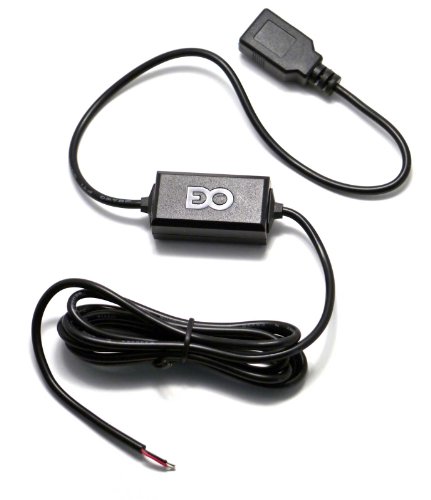
Should You Repair Your Existing Port Or Use An Alternative Charging Solution?
The choice between repairing or using an alternative charger hinges on data needs: if data transfer (CarPlay/Android Auto) is required, repair or replacement is mandatory; if only charging is needed, a high-quality 12V cigarette lighter adapter is a viable, often faster, alternative. Deciding whether to pursue repair vs replace usb port car depends on your priorities: data connectivity, charging speed, and budget.
A high-quality cigarette lighter adapter can provide superior charging speeds because many older OEM usb port in car are limited to low amperage (0.5A). The 12V adapter bypasses the car’s potentially limiting USB control module entirely, providing mobile phone charging technology like Quick Charge or Power Delivery.
However, if your primary need is data communication, such as integrating your device with the car infotainment system for maps or music, then the port must be repaired or replaced. Only the dedicated data port car supports the necessary bidirectional communication protocols.
This comparative analysis helps users evaluate options based on data-driven diagnostics:
| Solution Type | Data Transfer (CarPlay/Android Auto) | Charging Speed (Max Output) | DIY Difficulty | Cost Estimate |
|---|---|---|---|---|
| DIY Repair (Simple Fixes) | Yes, if data lines are intact | OEM/Standard | Low | $0 – $10 (Cleaning supplies) |
| Module Replacement (DIY) | Yes, must be compatible module | OEM/Standard | Moderate | $30 – $150 (Part cost) |
| 12V Adapter Charger | No (Charging only) | High (Fast Charging capable) | Very Low | $15 – $35 |
| Professional Repair | Yes, guaranteed | OEM/Standard | N/A | High ($150 – $400+) |
An expert troubleshooting tip involves checking the amperage output of your current OEM port. If your port only delivers 0.5A, the best car usb charging alternatives is likely a specialized, modern 12V adapter that can output 3.0A or more. This provides a quick solution if data is not essential, turning a car usb charging issue into a simple purchase.
FAQs About How to Fix USB Port in Car
What Causes Car USB Port To Stop Working After A Battery Change?
The car USB port often stops working immediately after a battery change due to a system software glitch or a momentary power surge that caused the USB-related fuse to blow. This issue is usually resolved by performing an infotainment system soft reset or checking the integrity of the fuse box, as the USB port relies heavily on a clean power feed from the vehicle’s electrical system. Disconnecting and reconnecting the battery can sometimes temporarily confuse the vehicle power management system, requiring a brief power cycle to resolve the issue.
Can A Faulty Cable Damage A Car USB Port Permanently?
Yes, a faulty or poorly made cable can potentially damage a car USB port, specifically if it causes a short circuit between the power and ground pins, leading to heat damage or a blown internal component or fuse. Always use high-quality, certified cables, especially for data connection like Apple CarPlay or Android Auto, to protect the delicate electronics within the automotive usb port repair module, preventing the necessity of component-level repair.
How Much Does It Cost To Fix A Car USB Port Professionally?
The cost to fix a car USB port professionally can vary widely, typically ranging from $150 to over $400, depending on the car’s make and model and the repair required. Simple fixes like fuse replacement are cheaper, while replacing an integrated module that requires console disassembly and dealership programming will be at the higher end of the repair cost spectrum due to labor and specialized knowledge required by a certified automotive technician.
Why Is My Phone Charging Slowly In The Car USB Port?
Slow charging in a car USB port is often caused by the port delivering insufficient amperage (usually under 0.5A) or a high-resistance fault, such as corroded contacts or a damaged cable. Many older OEM car USB ports are designed primarily for data transfer to the infotainment system and cannot support the fast charging standards required by modern mobile devices, making a 12V adapter a better choice if speed is the priority.
What Is The Difference Between A Charging USB Port And A Data USB Port In Cars?
A data USB port (often marked with a screen icon or connected to the head unit) supports both power delivery and bidirectional communication necessary for features like Apple CarPlay, while a charging-only port (often marked with a battery icon) provides power but lacks the necessary data pins for connectivity. Mixing these ports can lead to issues if a data function is attempted on a charging-only port, as the usb port provides data only when the correct pins are present.
How Do I Know If The Issue Is With The Port Or The Infotainment System?
If the port provides power (verified with a multimeter), but fails to recognize a device for data transfer (CarPlay/Android Auto), the fault is likely in the USB controller or the infotainment system software rather than the port itself. Conversely, if the port shows no power output at all, the issue is electrical, pointing to a blown fuse, bad wiring, or a dead replacement usb module component.
Can I Upgrade My Old Car USB Port To A USB-C Port?
Yes, upgrading an old car USB-A port to a modern USB-C port is often possible by purchasing an aftermarket replacement USB module that is designed to fit the existing housing or by utilizing a specialized 12V adapter. This upgrade typically provides faster charging speeds and better compatibility with newer devices, but ensure the new module supports the vehicle’s required data protocols, especially for advanced carplay + usb functions.
What Should I Do If My Car USB Port Shows An Error Code?
If your car USB port displays a specific error code, consult your vehicle’s owner manual immediately, as these codes often indicate a specific electrical fault, short circuit, or a communication failure with the head unit. Common solutions include performing a software reset of the infotainment system, checking for parasitic draw, or clearing system faults using an OBD2 scanner, reflecting basic automotive troubleshooting steps.
Can Water Damage Cause A Car USB Port To Fail?
Yes, water or excessive moisture exposure can cause immediate and catastrophic failure in a car USB port by short-circuiting the internal electrical components or causing rapid corrosion of the data and power pins. If water damage is suspected, immediately disconnect the car battery, allow the area to dry completely, and inspect the port for signs of corrosion before attempting any repair or reconnection, following safety first car repair protocol.
Is Soldering A Loose Wire The Best Way To Fix A USB Port?
Soldering a loose wire is a permanent and viable fix for a wiring harness issue, but it should only be attempted if you have advanced knowledge of automotive electrical systems and quality soldering tools. For most users, replacing the entire USB module and harness connector is the safer, more reliable, and less permanent solution, avoiding risks associated with component-level repair and ensuring oem specifications are maintained.
Final Thoughts
Solving the puzzle of a non-functional usb port in car can seem daunting, but by applying a structured, step-by-step diagnostic methodology, even novice DIY enthusiasts can successfully isolate and resolve most issues. The central insight is understanding that a car’s USB port serves two masters—power and data—and problems must be diagnosed accordingly using appropriate tools like a multimeter. From simple solutions like cleaning corroded contacts or replacing a blown fuse, to the more involved process of module replacement, remember that safety first car repair is paramount in automotive electrical work.
If you have followed the guide and determined that the issue lies in the physical port or the integrated module, you are now equipped with the knowledge to perform a confident replacement, saving significant time and money over professional repair. If the issue persists, the problem may reside deeper within the car infotainment system wiring or specialized software, at which point consulting a certified automotive technician is recommended. Embrace the repair process, knowing you have thoroughly exhausted the most cost-effective and reliable DIY solutions available.
Last update on 2026-03-16 / Affiliate links / Images from Amazon Product Advertising API


